
GIFit!
Creating a GIF from any video snippet you like on YouTube can be quite a laborious operation. GIFit! is an ideal option for those who don’t want to follow a long path like downloading the video to your hard disk and then transferring it to your favorite graphics editing tool…
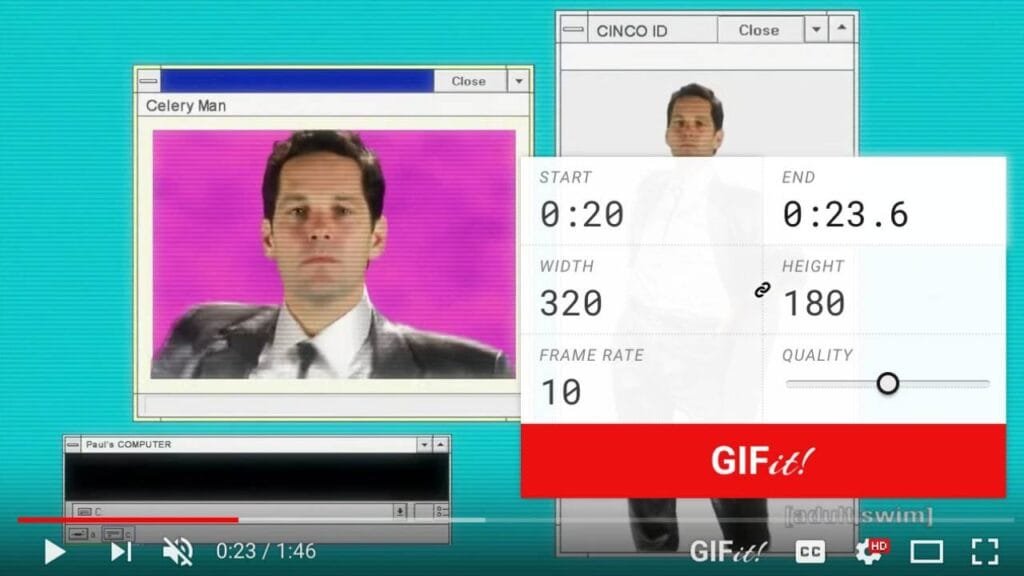
After launching the video you desire, all you need to do is press the GIFit! icon on the panel and designate the start / end point. From this stage, you can simply press the Save GIF button and transfer the content to your disk. You can click here for the Firefox side, and here for the Chromium side.
Video Resumer
Let’s imagine you’re watching a quite long YouTube material and you accidentally refresh the page or mistakenly close the browser. Subsequently, you may waste yourself searching for which second you were at in the video for a few minutes… Right at this moment Video Resumer comes on stage.

Whether you close the web page consciously or accidentally doesn’t matter: Video Resumer memorizes the location you were watching and when you replay the video, it continues exactly from the second you stopped. You can setup from here for the Firefox side, and from here for the Chromium side.

